[002] Project / IGNITE
IGNITE
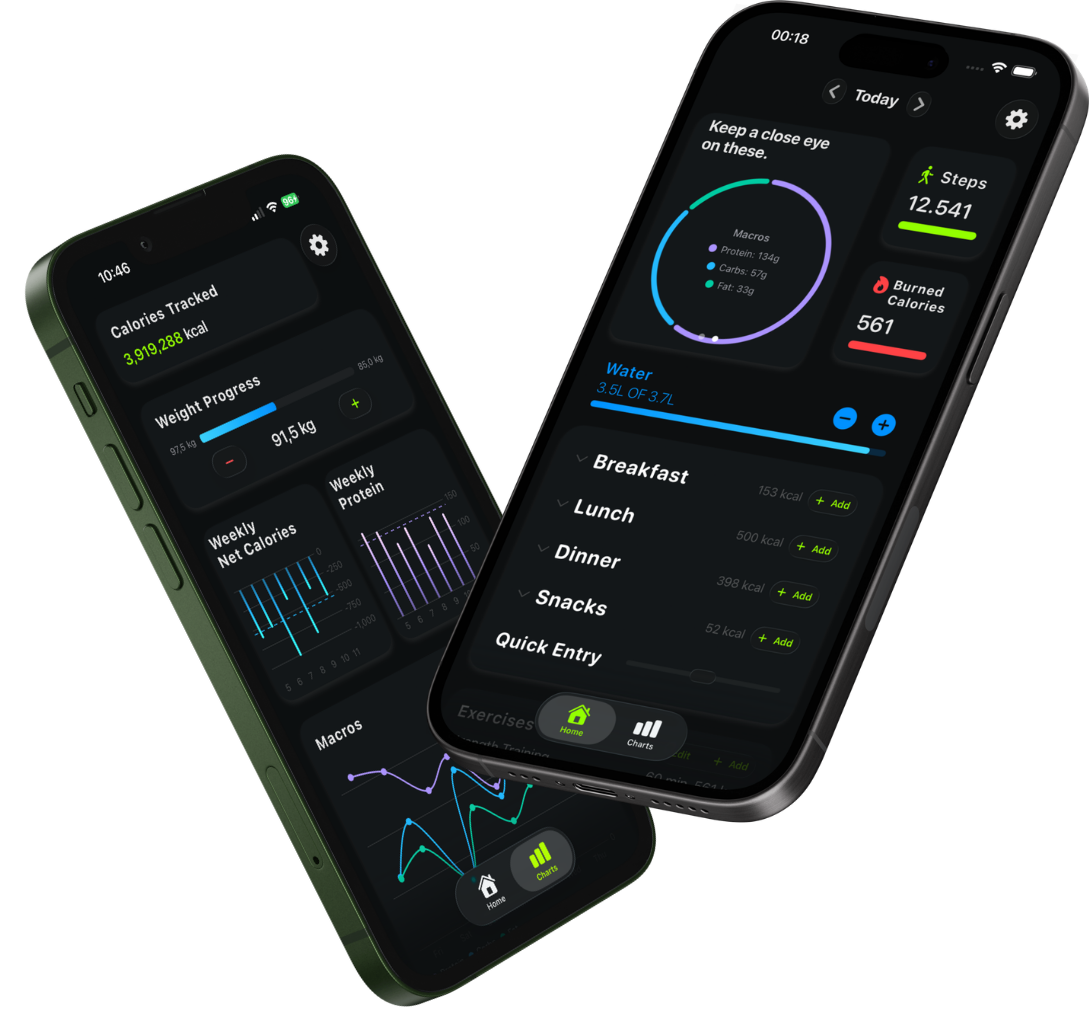
IGNITE is an iOS app I built to track food, workouts, activity, water, supplements, weight, and progress in one place.
I built it in Swift and SwiftUI, using Core Data, HealthKit, Supabase, and OpenFoodFacts for the main data flows.
[01]
The idea
Why I built IGNITE
The things I wanted to check every day were spread across nutrition apps, Apple Health, workout apps, and notes.
I built IGNITE to bring them into one daily view, with a shared history for tracking progress.
[02]
On-device data
Local data and offline use
I use Core Data to store foods, meals, water, supplements, weight, goals, and progress on the device. Existing logs and progress remain available without a network connection.
Food lookups, subscriptions, and other external services need the internet.
Keeping data between launches
As the data model changed, I added migrations so app updates could keep existing records.
Keeping the interface responsive
I use Swift concurrency for network requests, HealthKit reads and writes, and StoreKit purchases. The interface can respond while that work runs and update when results are ready.
If a remote food service is unavailable, saved meals, tracking, and progress still work locally.
[03]
Food search
Finding and logging food
Text searches and barcode scans use the same lookup, handled by HybridFoodRepository. IGNITE checks saved foods first and moves to remote sources when it needs a useful match.
The lookup starts with foods saved in Core Data, then checks IGNITE’s Supabase database if there is no useful local match. OpenFoodFacts provides another source when needed.
Matches are cleaned up and deduplicated before they appear in the results. Useful foods are saved locally for later.
Scan instead of typing
I use AVFoundation to read barcodes with the iPhone camera. A detected code enters the same lookup; a matching food can then be logged and kept for later.
[04]
Apple Health
Apple Health integration
I keep HealthKit permissions, queries, writes, observers, and background updates together in dedicated services.
- Read from Apple Health
- Steps, active calories, weight, and workouts.
- Write to Apple Health
- Supported nutrition, hydration, weight, and workout data.
[05]
Progress
Progress and goals
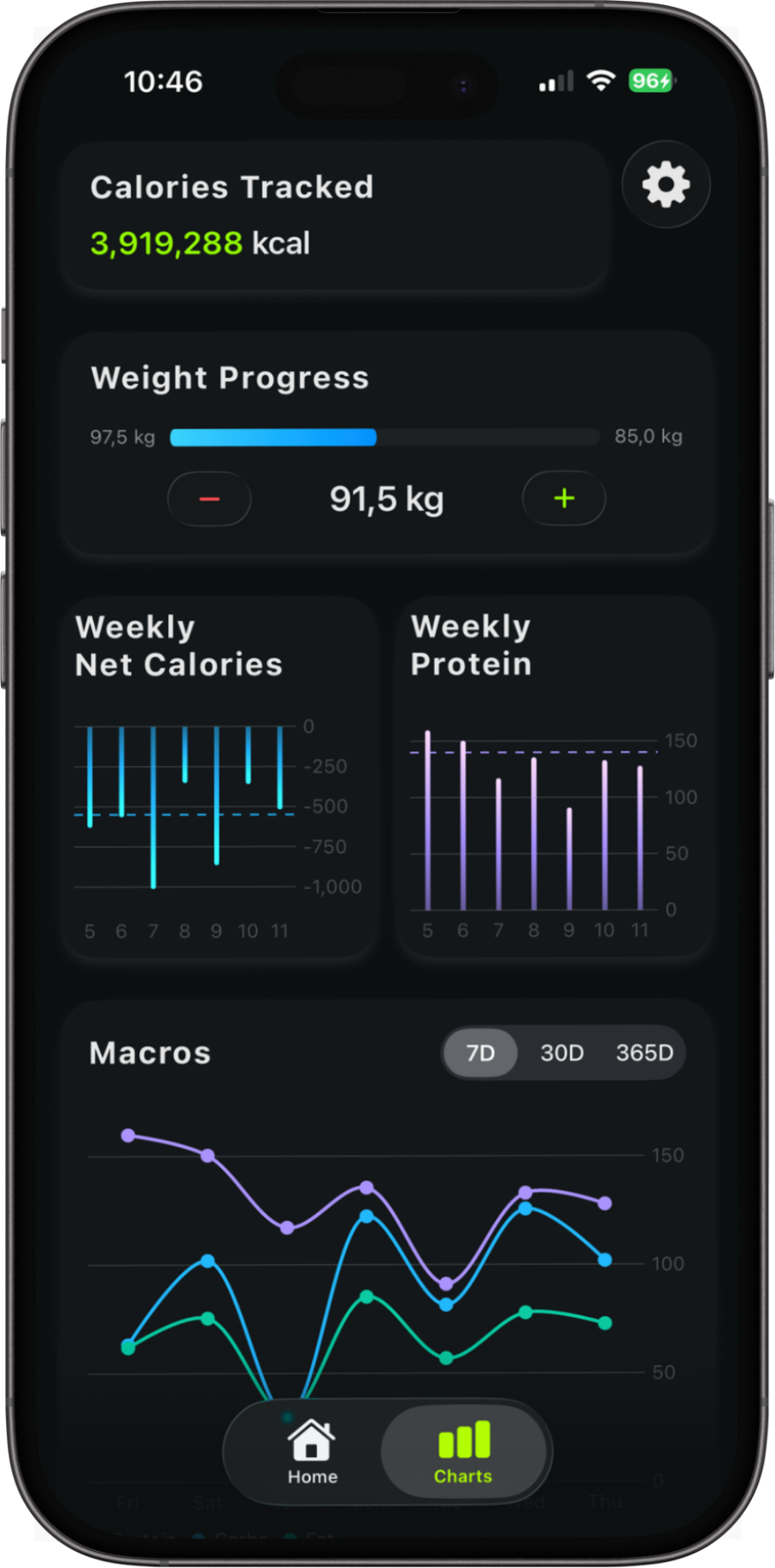
I use Swift Charts to show nutrition, activity, water, and weight over different time ranges, making changes easier to see beyond a single day.
- Nutrition
- Calories, net calories, macros, and protein.
- Activity
- Steps and active energy.
- Hydration
- Water intake against the current goal.
- Weight
- Changes over time and progress toward a target.
Shared goals across screens
During onboarding, I use profile information and a weight goal to estimate calorie and macro targets with the Mifflin–St Jeor equation. The app also sets goals for water, steps, active calories, and body weight.
The daily trackers and progress views use those same values.
[06]
Architecture
App structure
I separate the interface, screen state, data access, and system integrations. The main dependencies are created in one place and passed to the parts of the app that need them.
SwiftUI views handle the interface and navigation. They use view models to manage screen state and UI logic.
View models use repositories for Core Data, food search, and caching, and services for HealthKit, networking, purchases, and other system APIs.
What I used to build it
- Language
- Swift
- UI
- SwiftUI · UIKit
- Storage
- Core Data · UserDefaults
- Apple frameworks
- HealthKit · StoreKit 2 · AVFoundation · Swift Charts
- Networking
- URLSession · REST
- Data
- Supabase · OpenFoodFacts
- Architecture
- MVVM · Repositories · Services · Dependency Injection
- Testing
- XCTest
[07]
App details
Subscriptions, languages, and testing
Subscriptions with StoreKit 2
I use StoreKit 2 to load products, verify purchases, restore purchases, and listen for transaction updates. A shared entitlement state tells the relevant views which premium features are available.
Supporting four languages
- English
- Deutsch
- Español
- Français
I manage language selection and locale handling in one place. I also test longer translations in labels and navigation.
Testing with XCTest
I use in-memory Core Data stores and test services so tests can run without real user data or live APIs. They cover:
- Core Data repositories and view models.
- Food-search fallbacks, caching, pagination, and duplicate handling.
- Network failures and translations.
[08]
Reflection
What I learned
As IGNITE grew, the harder part was getting local data, HealthKit, remote food sources, and subscriptions to work together. I had to decide where data belonged and what should happen when a source was unavailable.
That pushed me to separate storage, networking, and Apple framework integrations from the SwiftUI views. If I built it again, I would define those responsibilities earlier.